Stage 4 Marketing Assistant

Your next marketing update starts with a message.

Put your ideas into motion through Google Chat. Request website updates, review the work, and approve supported changes from one conversation.

Your business. Your direction. Your approval.

Inside Google ChatCustomer + Stage 4 Assistant
Conversation replay

Website update · actual conversation

Customer · Request

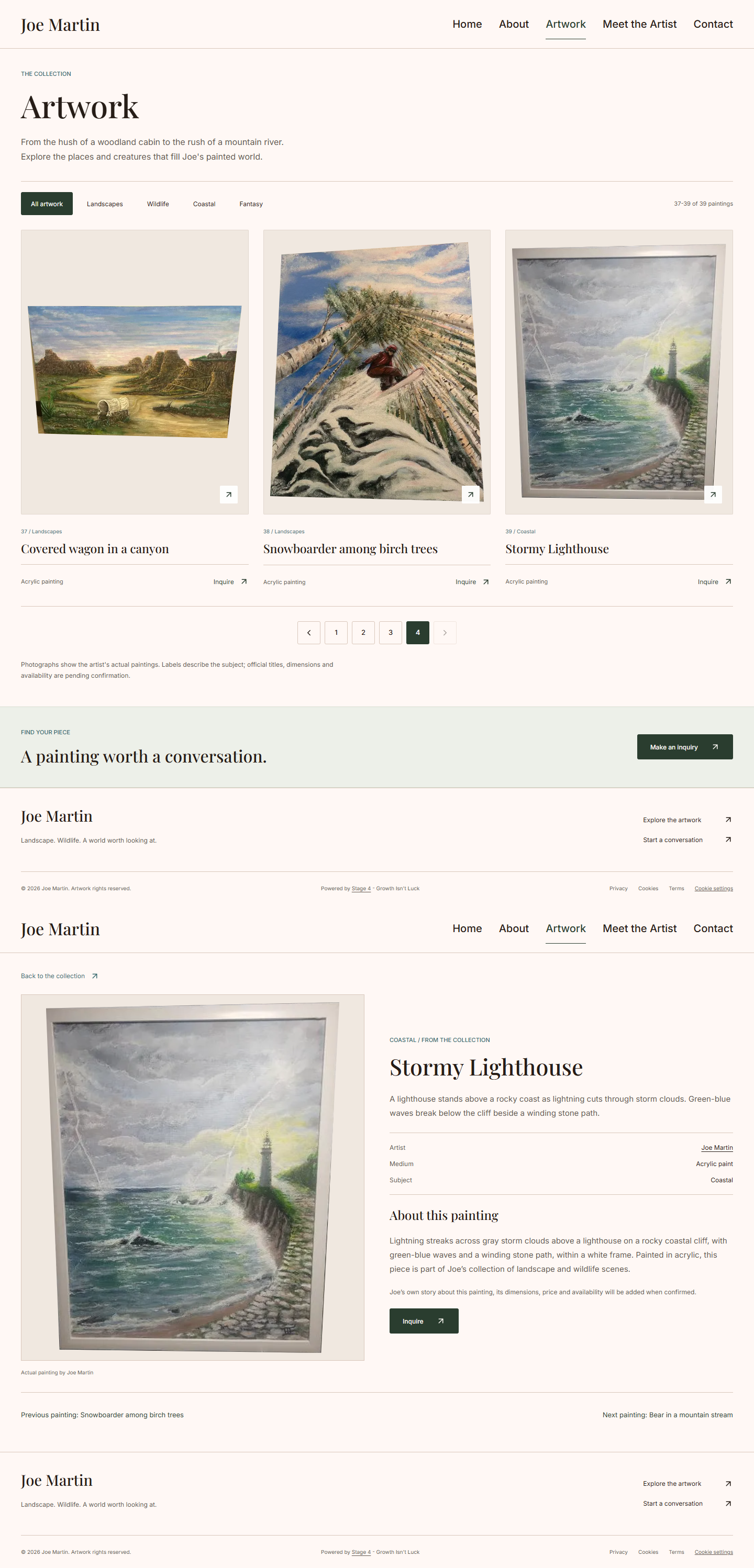
Please add this painting to my Artwork page.

Customer · Artwork title

Stormy Lighthouse

Stage 4 Assistant · Clarification

I’ll use “Stormy Lighthouse” as the title; please upload the painting here, since I couldn’t open the Drive file.

Customer · Image attachmentCustomer’s uploaded Stormy Lighthouse painting

Image attached

Stage 4 Assistant · Photo received

Thanks, I've got the photo. I'll use it for your preview.

Stage 4 Assistant · Preview

Here's your preview. Reply Confirm to publish this version, Decline to leave the site as it is, or Revise followed by your changes.

Website preview Original website preview showing the Stormy Lighthouse painting on its artwork detail pageReview the website updateOpen desktop & phone previews ↗Awaiting customer approval
Customer · Approval

confirm

Stage 4 Assistant · Publishing

I'll publish it now.

Customer

Thank you

Stage 4 Assistant · Completion

Done—“Stormy Lighthouse” is now live in your Artwork collection.

Google Ads · scripted, proposed workflow
Sample customer · Request

Can we change our Google ad to focus on local SEO?

Sample assistant · Clarification

Would you like the headline and description updated, while keeping the existing budget and targeting?

Sample customer · Direction

Yes. Just change the wording and show me before it goes live.

Sample assistant · Preview

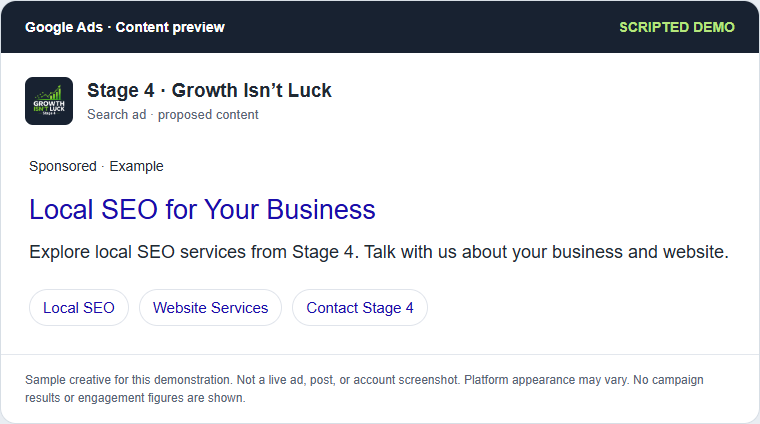
Here’s a draft focused on local SEO. Would you like to approve this wording or revise it?

Google Ads · sample content Scripted Google Ads preview: Local SEO for Your BusinessReview the proposed contentOpen larger preview ↗Awaiting customer approval
Sample customer · Approval

Approve that wording. Please publish it.

Sample assistant · Specialist handoff

The wording is approved. A Stage 4 specialist would apply the change in Google Ads and verify it before confirming completion here.

Sample specialist · Illustrative completion

The approved ad copy is published to the account and awaiting Google’s review. The existing budget and targeting are unchanged.

Scripted outcome · no account or post was changed

Facebook Ads · scripted, proposed workflow
Sample customer · Request

Can you update our Facebook ad to promote website services?

Sample assistant · Clarification

Should we change the image and wording, while keeping the existing audience and budget?

Sample customer · Direction

Yes. Use our green branding and invite people to discuss their website.

Sample assistant · Preview

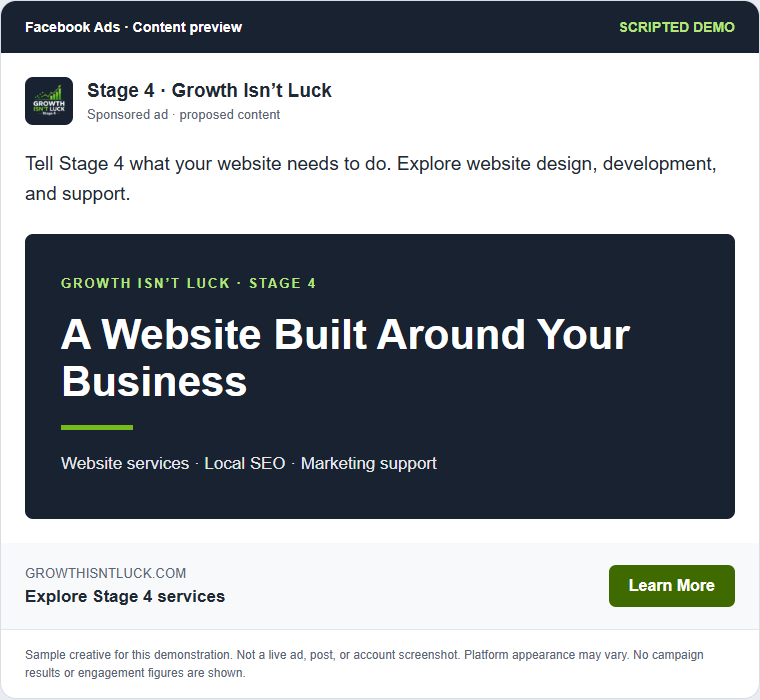
Here is the proposed Facebook ad with the updated creative and message. Would you like any changes?

Facebook Ads · sample content Scripted Facebook Ads preview: A Website Built Around Your BusinessReview the proposed contentOpen larger preview ↗Awaiting customer approval
Sample customer · Approval

That looks good. Approve it.

Sample assistant · Specialist handoff

Approved. A specialist would apply the creative update in the ad account and check its publication status.

Sample specialist · Illustrative completion

The approved creative is published to the ad account for platform review. The existing audience and budget are unchanged.

Scripted outcome · no account or post was changed

Social posts · scripted, proposed workflow
Sample customer · Request

Can you change our next Facebook and Instagram post to explain the website approval process?

Sample assistant · Clarification

Would you like a simple request, preview, and approval graphic with a matching caption?

Sample customer · Direction

Yes. Keep it clear and use our Stage 4 branding.

Sample assistant · Preview

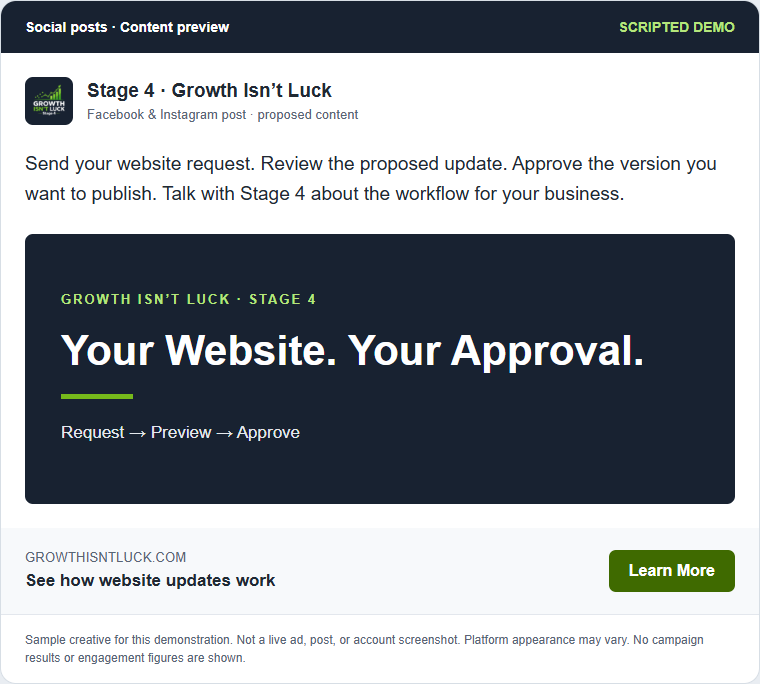
Here is the revised post and caption for both platforms. Please review them before publication.

Social posts · sample content Scripted Social posts preview: Your Website. Your Approval.Review the proposed contentOpen larger preview ↗Awaiting customer approval
Sample customer · Approval

I like it. Publish that version.

Sample assistant · Specialist handoff

The post is approved. A specialist would publish the agreed version to the connected Facebook and Instagram profiles.

Sample specialist · Illustrative completion

The approved post and caption are published to both profiles. Their live post links would be included in this confirmation.

Scripted outcome · no account or post was changed

Reddit Ads · scripted, proposed workflow
Sample customer · Request

Can we change our Reddit ad to explain our marketing services more clearly?

Sample assistant · Clarification

Should the ad introduce Stage 4’s website and local SEO services with a straightforward message?

Sample customer · Direction

Exactly. Keep the existing budget and targeting. Show me the copy first.

Sample assistant · Preview

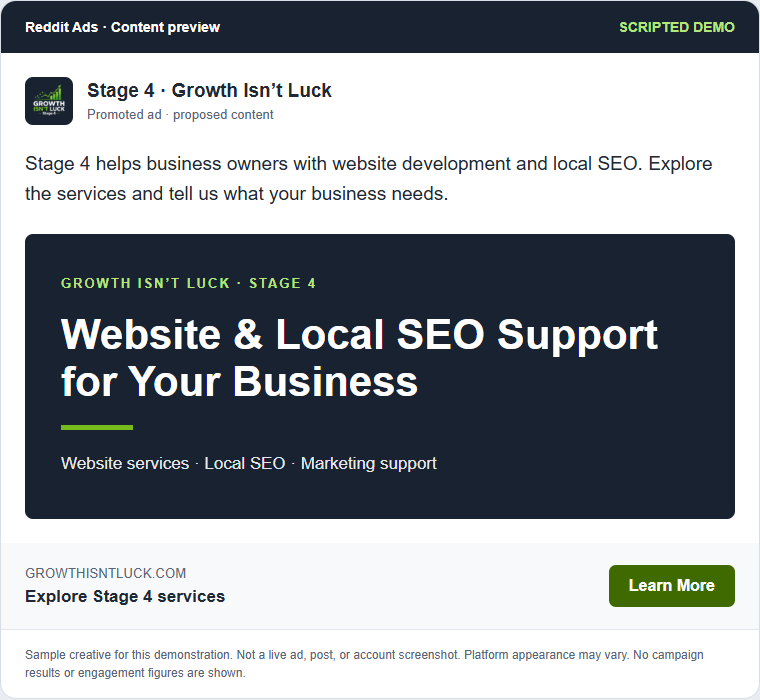
Here’s a proposed promoted ad that identifies Stage 4 and explains the services. Would you approve this version?

Reddit Ads · sample content Scripted Reddit Ads preview: Website & Local SEO Support for Your BusinessReview the proposed contentOpen larger preview ↗Awaiting customer approval
Sample customer · Approval

Yes, approve and publish that version.

Sample assistant · Specialist handoff

Approved. A specialist would update the ad in Reddit Ads and verify the submission status.

Sample specialist · Illustrative completion

The approved version is published to the ad account for platform review. The existing budget and targeting are unchanged.

Scripted outcome · no account or post was changed
Website: actual Google Chat excerpts and original previews, November 6, 2026; some messages and private details omitted.
Ads and social posts: scripted concepts with specialist publication; these chat publishing integrations are not enabled. All playback timing is illustrative.

Content preview

Scripted example · proposed creative, not a live account screenshot.

Sample content preview

The animation pauses while you review. Nothing is published by this demonstration.

Review the website update

Original desktop and phone previews from this request.

The conversation pauses while you review.
Original desktop preview showing the artwork gallery and the new Stormy Lighthouse detail page

This is a demonstration of the approval step. Viewing it does not publish anything.

Stay involved.
Keep things moving.

Request changes
in plain language

Review the work
before it goes live

Keep the details
in one conversation

See the conversation unfold

A request. A conversation.
A clear path to the next step.

The website example follows a real artwork update through image upload, preview, approval, and publication. It then cycles through scripted Google Ads, Facebook Ads, social post, and Reddit Ads examples, each showing a content preview, approval, and specialist handoff. These additional chat publishing integrations are proposed workflows, not enabled features.

  1. Send your request

    Tell your assistant what needs to change. Share the wording, photos, or details in your assigned Google Chat conversation.

  2. Review the preview

    See the proposed website update on desktop and phone. Ask for adjustments in the same conversation.

  3. Approve the change

    Review the finished version and confirm when it is ready to publish. Your approval keeps you in control.

  4. See the result

    Check the published page and follow the conversation for confirmation of the completed work.

Start with your website

What would you
like to update?

A new project to share. A detail to correct. A better way to explain a service. Start with the change your business needs.

Examples depend on your website setup and agreed service scope.

“Add these photos to our project page.”

“Update the wording on our services page.”

“Correct the contact details on our website.”

“Show me the revised page before publishing.”

Operational Independence, in practice

More control over
how your business moves.

Know what you requested, see what is being prepared, and decide when an update is ready. The Stage 4 Marketing Assistant brings that approach into your day-to-day website work.

Explore Operational Independence

A few useful details

Know how it works before you begin.

Where do I send requests?

In the Google Chat space assigned to your business after setup. Stage 4 confirms which website and services are connected to that space.

Will website changes publish automatically?

The website workflow presents a preview for your review. You approve the proposed version before it is published.

Can every marketing task be handled in chat?

Available actions depend on your connected services, account access, and agreed scope. Requests that need additional setup or assistance are identified before the work proceeds.

How quickly will my request be completed?

Timing depends on the request, available connections, and any approvals or information needed. Stage 4 can explain the workflow for your business during a demonstration.

Work With Stage 4

What would you change first?

Tell us about your website and the updates you regularly need. We’ll discuss the assistant workflow, supported requests, and what setup would involve for your business.

Talk With Stage 4